
Several purchases at once
A dress, a gift, skincare, and home items can all be part of your shopping — and each one deserves its own space.
Buyka is your dedicated shopping space: save products, compare options, check reviews, and come back to your choices whenever you're ready.
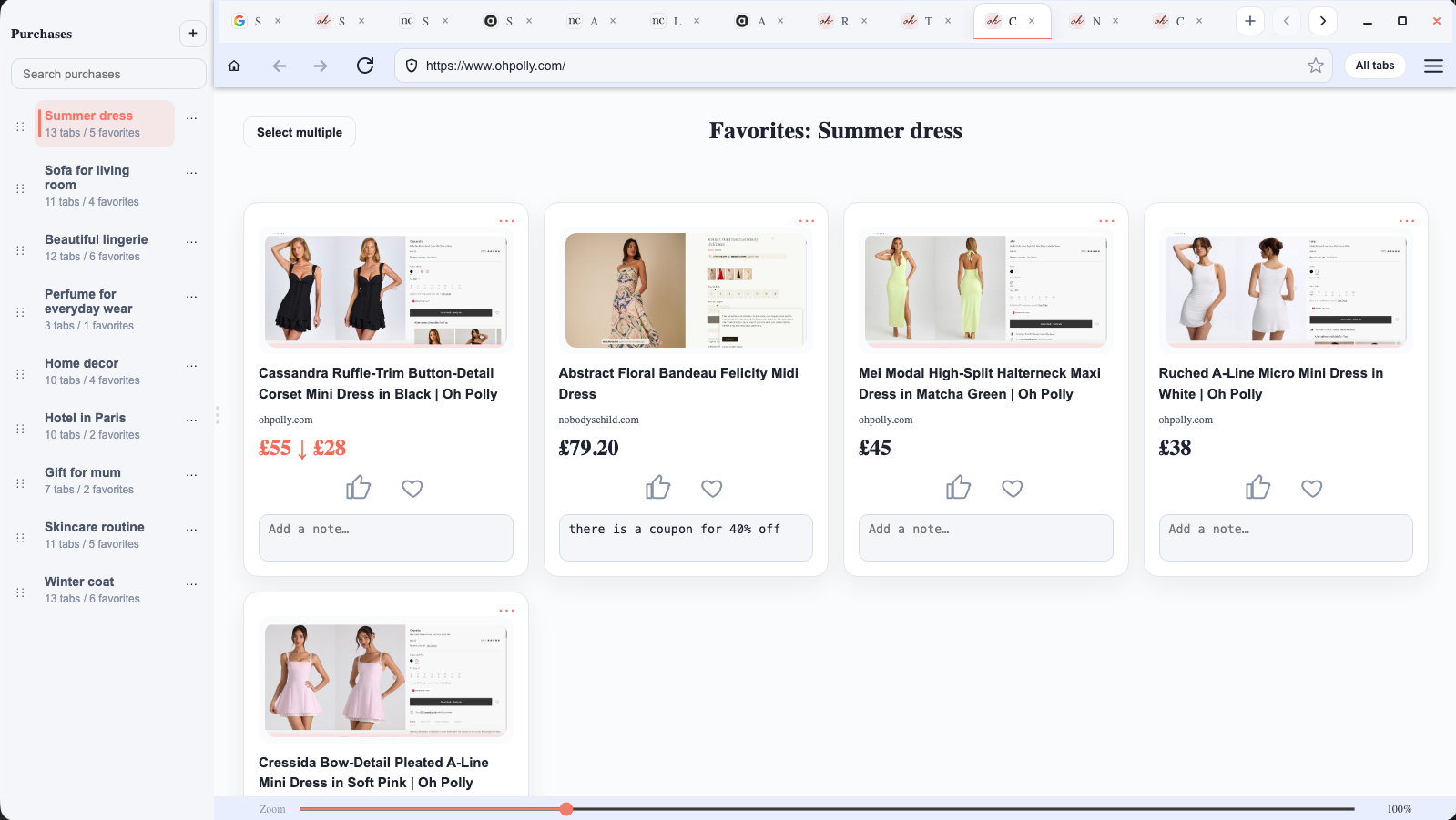
A dress, a gift, skincare, and home items can all be part of your shopping — and each one deserves its own space.
Sometimes you don't want to buy the first thing you like. You want to compare a few options calmly.
You browse today, think tomorrow, return a few days later — and your options are still waiting for you.
In Buyka, you create a separate shopping space for each thing you're choosing: a dress, a gift, furniture, tech, or a trip.
Each purchase has its own tabs, saved products, and notes.
So you can come back later and continue exactly where you left off.
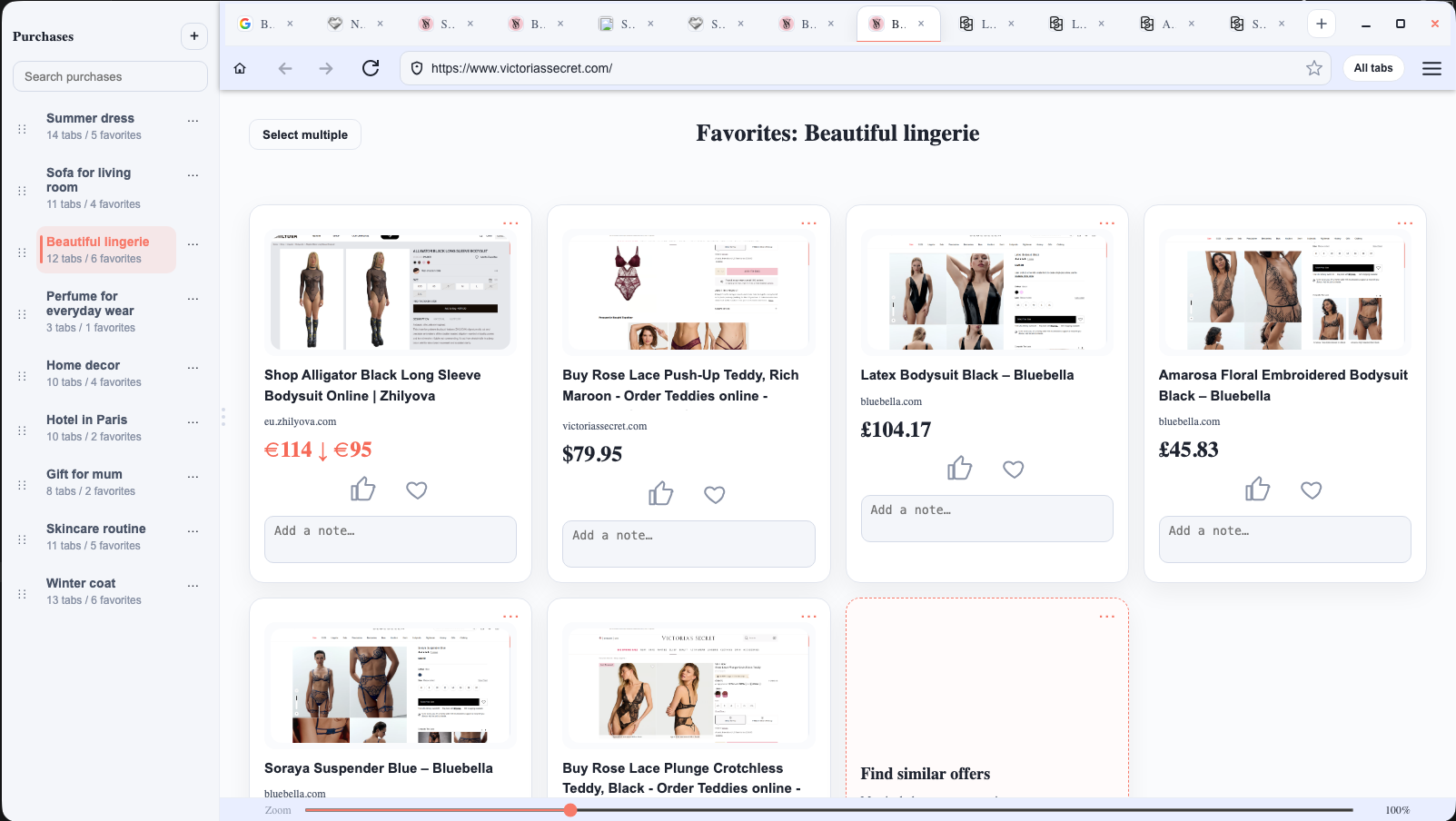
Buyka keeps the whole choosing process in one place.
Click the heart to save a product to the right purchase. It stays there even if you close the tab.
Select a few saved products and ask Buyka to help you compare them.
Quickly open review search for the product you're considering.
Check whether the same or a similar product can be found for less.
Comparison, reviews, and better-price search open through Perplexity.
01
For example: “Summer dress”, “Gift for Mom”, or “New sofa”.
02
Shop like in a normal browser and save products you want to keep.
03
Check reviews, compare a few options, and come back whenever you're ready.
A quick look at how Buyka helps you organize purchases and choose with more confidence.
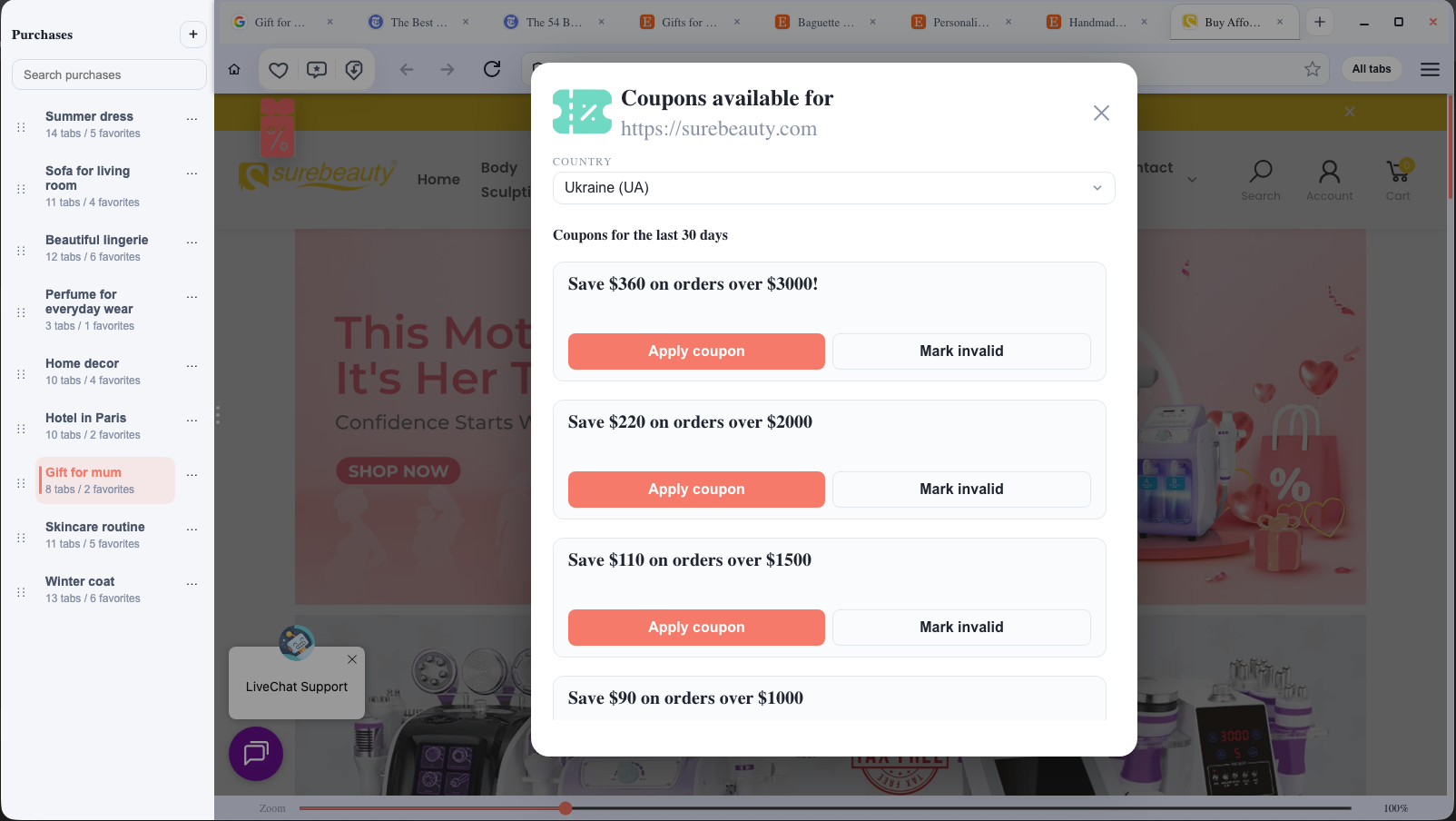
When coupons are available for a store, Buyka can quietly show them while you browse. No noisy banners, no coupon clutter.
Coupons are not available for every store and may depend on your country.
Buyka does not require an account. Your purchases, tabs, and saved products stay on your computer. We don't sell your data or turn your shopping into an ad feed.
Create a separate space for the things you want to choose calmly and keep out of everyday tabs.
For Windows. No account needed. macOS version in progress.